The visual skill manager for AI agents
Browse, organize, and
manage agent skills
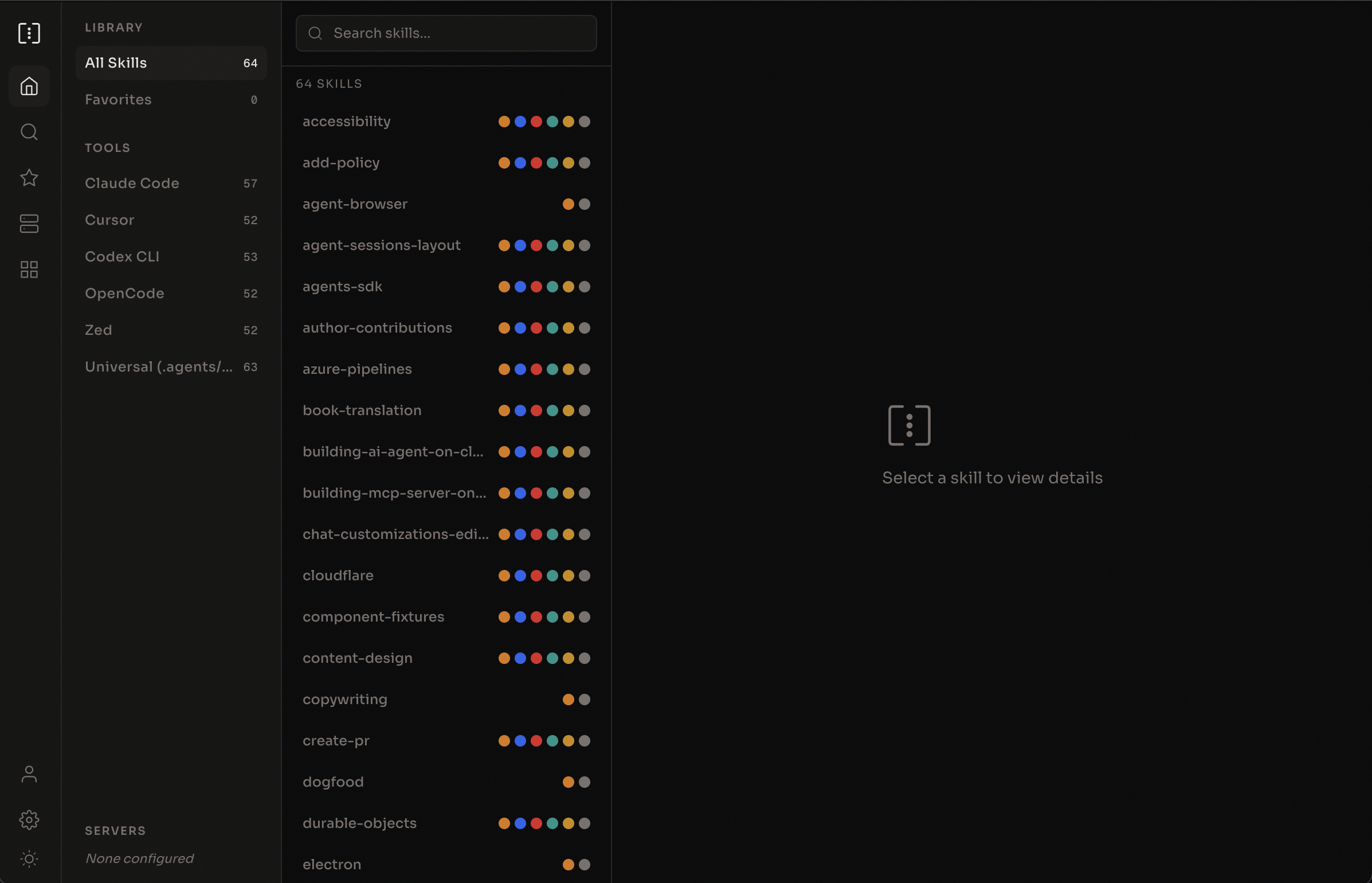
Browse the skills.sh catalog, install to exactly the agents you want, and edit any SKILL.md in a built-in markdown editor. Free, open source, and no account needed.
macOS · Windows · Linux
Open source
SkillsGate is fully open source. Browse the code, contribute features, and shape the future of agent skill management.
Remote servers
Connect to other machines via SSH to browse and manage skills. Keep your fleet in sync.
Local-first
Settings, favorites, and server configs live in a local SQLite database on your machine. No account, no cloud.
Works with these agents
Features
Everything you need to
manage agent skills
Visual skill browser
See every skill installed across all your agents in one place. Filter by agent, search by name, and preview content before making changes.
Per-agent skill control
Install a skill to Claude Code but not Cursor. Remove it from Windsurf but keep it in Copilot. Full control over which agents use which skills.
Built-in markdown editor
Edit any SKILL.md in a CodeMirror-powered editor with markdown syntax highlighting. Press Cmd+S and the change is saved straight to disk.
Remote server management
Connect to other machines over SSH. Browse and edit remote skills, and push your local skills with a preview of every change.
How it works
From search to install
in seconds
Search
Open Discover to see what's trending, or search the skills.sh catalog for what you need.
Preview
Read the full SKILL.md, check its install count, and open the source repository before you install.
Install
Pick the agents you want it in. SkillsGate writes the skill to the right config directory for each agent.
Edit
Customize any skill with the built-in markdown editor. Your changes stay on your machine.
Frequently asked
Everything you need to
know before you begin
What are agent skills?
Agent skills are reusable instructions (SKILL.md files) that extend what AI coding agents can do. They give your agent procedural knowledge: how to audit a website, set up a database, follow design patterns, and more.
Where do the skills come from?
Discover is powered by skills.sh, an open directory of agent skills. SkillsGate reads the catalog and fetches each skill straight from its GitHub repository.
Which AI agents are supported?
SkillsGate detects 24 coding tools: Claude Code, Cursor, Codex CLI, GitHub Copilot, Windsurf, Cline, Continue, Amp, Goose, Junie, Kilo Code, OpenCode, OpenClaw, Droid CLI, OB-1, Pear AI, Roo Code, Trae, Zed, Qoder, Qoder CN, QwenPaw, ZCode, and Muse Code. It also manages ~/.agents/skills, the shared folder the skills CLI uses.
Is SkillsGate free?
Yes. SkillsGate is free and open source under the MIT license.
What happened to the terminal app and npx skillsgate?
The terminal UI was discontinued in September 2026 to focus on the desktop app, and the skillsgate npm package is deprecated. To install skills from the command line, use npx skills.
Get started
Take control of your
agent skills
Browse the skills.sh catalog, install to the agents you choose, and edit anything with a proper markdown editor.
macOS · Windows · Linux